
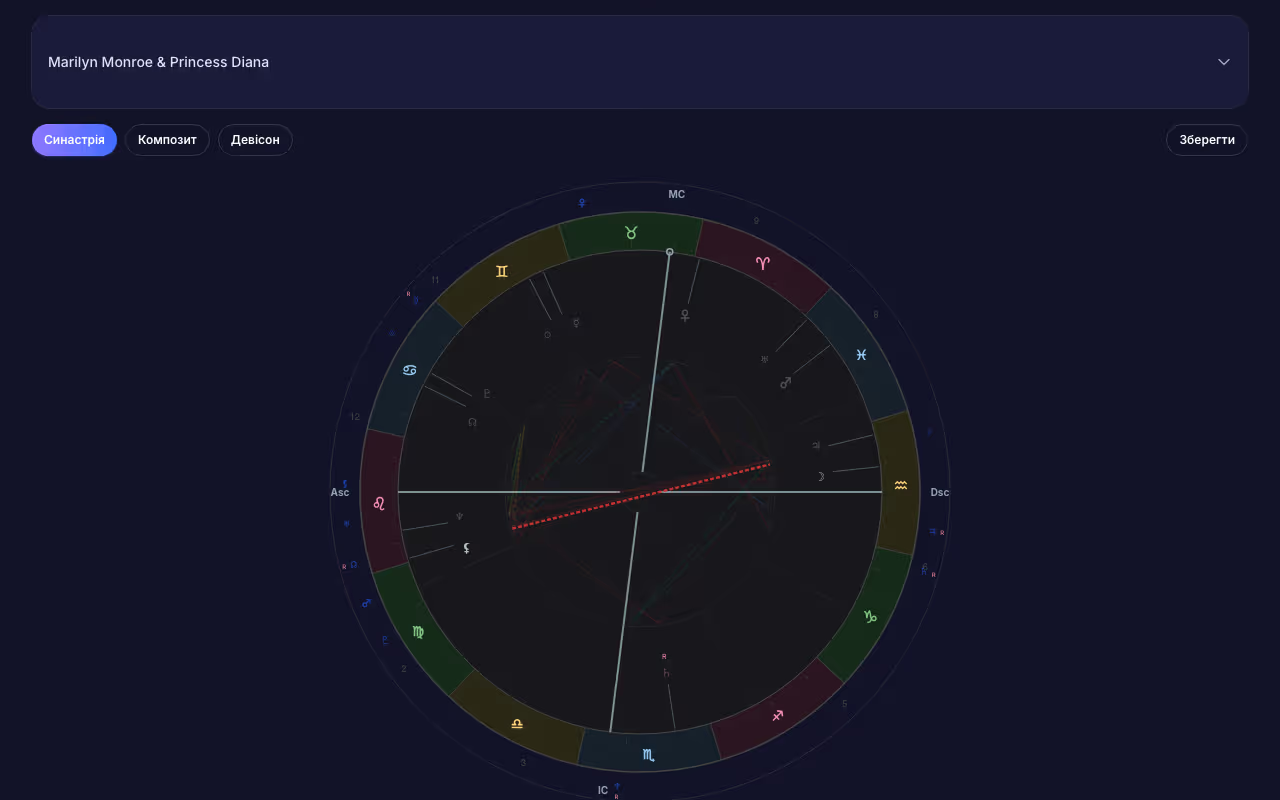
Overview
Synastry in AstroWay allows you to compare any two charts — whether for relationship compatibility, business partnerships, or any interpersonal dynamic. The comparison module provides: - Bi-wheel chart showing both sets of planets - Inter-chart aspect table with orbs - Planet placement in partner's houses - Side-by-side and overlay view modes
Chart Comparison
The bi-wheel view places both charts concentrically: - Inner ring: natal chart (Person A) - Outer ring: compared chart (Person B) - Aspect lines drawn between both charts Separate synastry orb settings let you control aspect sensitivity independently from natal chart orbs. View applying and separating aspects with exact orb values.
Composite & Davison
Two methods for deriving a relationship chart: - Composite chart — midpoints of corresponding planets - Davison chart — midpoint in time and space between two birth events Both produce a single chart representing the relationship itself, with full aspect analysis and house placement.
Interpretations
Access interpretation texts for inter-chart aspects from multiple author collections. Filter by aspect type, planet pair, or author to find the most relevant reading for your analysis. Export complete synastry reports to PDF or DOCX with both charts, aspect tables, and interpretation texts.
Visualization
Choose how to view the comparison: - Overlay mode — both charts on a single wheel - Side by side — two separate wheels for easy reference All views are interactive — hover over aspect lines for details, click planets for interpretations. Export the bi-wheel as a high-resolution PNG image.

